UX Case Study · StudentKare
Redesigning a Fragmented Supply Chain from the Inside Out
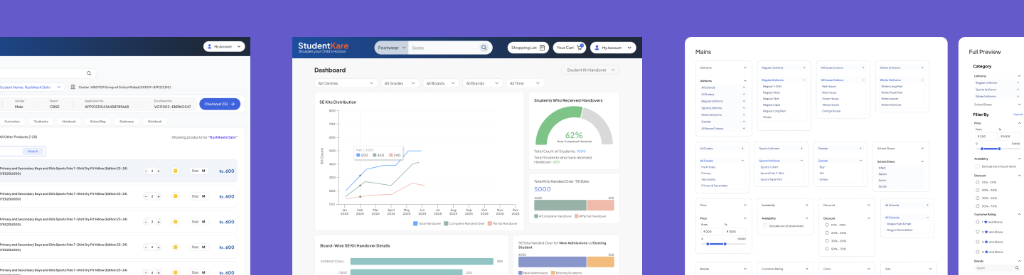
A school supply platform serving thousands of students was quietly breaking down. I helped fix it across three interconnected layers — how customers ordered, how operators executed, and how leadership made decisions.
A parent ordered a school kit at the start of the academic year. It arrived six months later.
By then, it was almost irrelevant.
Support teams couldn't explain the delay. Operations had no clear visibility into order status. At POS centers, long queues formed as systems slowed or failed under peak load. Operators were using Excel sheets and third-party tools just to get through the day.
And behind it all — data that had been quietly manipulated. Errors hidden, bottlenecks masked, reports that didn't tally. When the discrepancies reached the Chairman, the fallout was severe.
This wasn't a UX problem. It was a system failure. And fixing it required designing across three interconnected layers simultaneously.
My Role
What I owned
I led user research and end-to-end design across both B2C and internal tools. This wasn't a handoff project — I was embedded across the full system.
Approach
Three layers, one system
Instead of treating each symptom in isolation, I mapped the failure across the full system. Three layers, each compounding the others.
Research
What I found in the field
I spent time embedded at POS centers across locations, watching operators work through peak-hour queues. I also analysed SR support tickets and ran a parent survey through the ERP app — supplemented by direct conversations with parents employed within the Ampersand Group.
The most important insight didn't come from a survey. It came from watching an operator work.
70% of the time, operators were copy-pasting SKU IDs directly from an indent form parents brought in. They weren't browsing. They were executing. Yet the system forced them through a full B2C e-commerce experience.
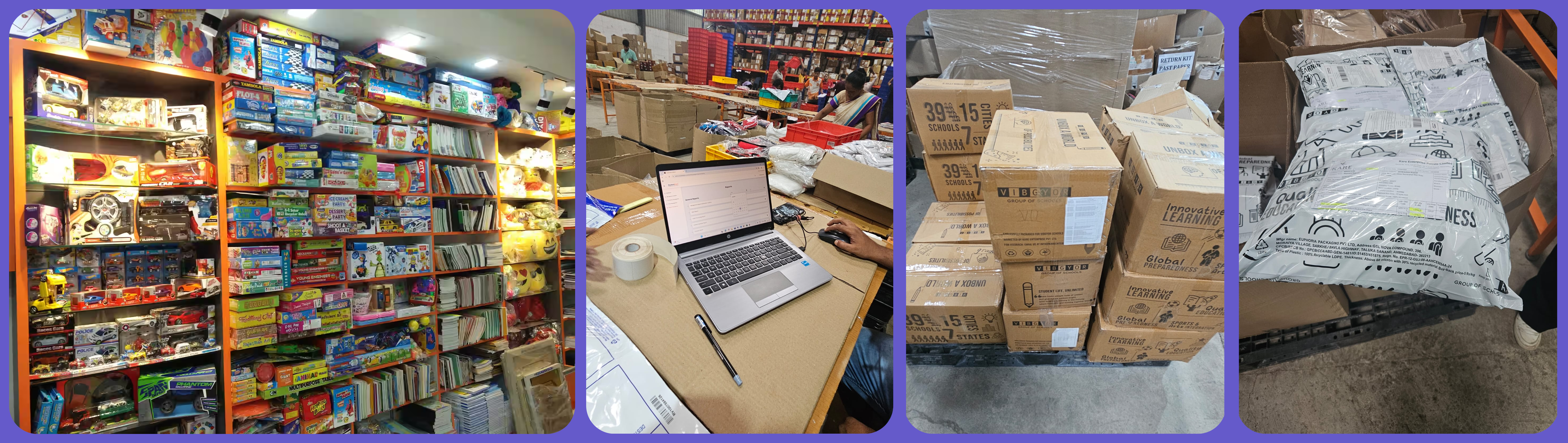
The system was designed like a storefront. Operators needed a processing tool.
Intervention 1 — Execution Layer
Rebuilding the POS system
The problem with the old flow
The original POS interface was built on a consumer e-commerce mental model — complete with a product listing page, star ratings, "Available in 2–3 Days" badges, a shopping cart, and a full navigation header. It looked like Flipkart. It was meant for shoppers, not operators processing a queue of 30+ parents in peak season.
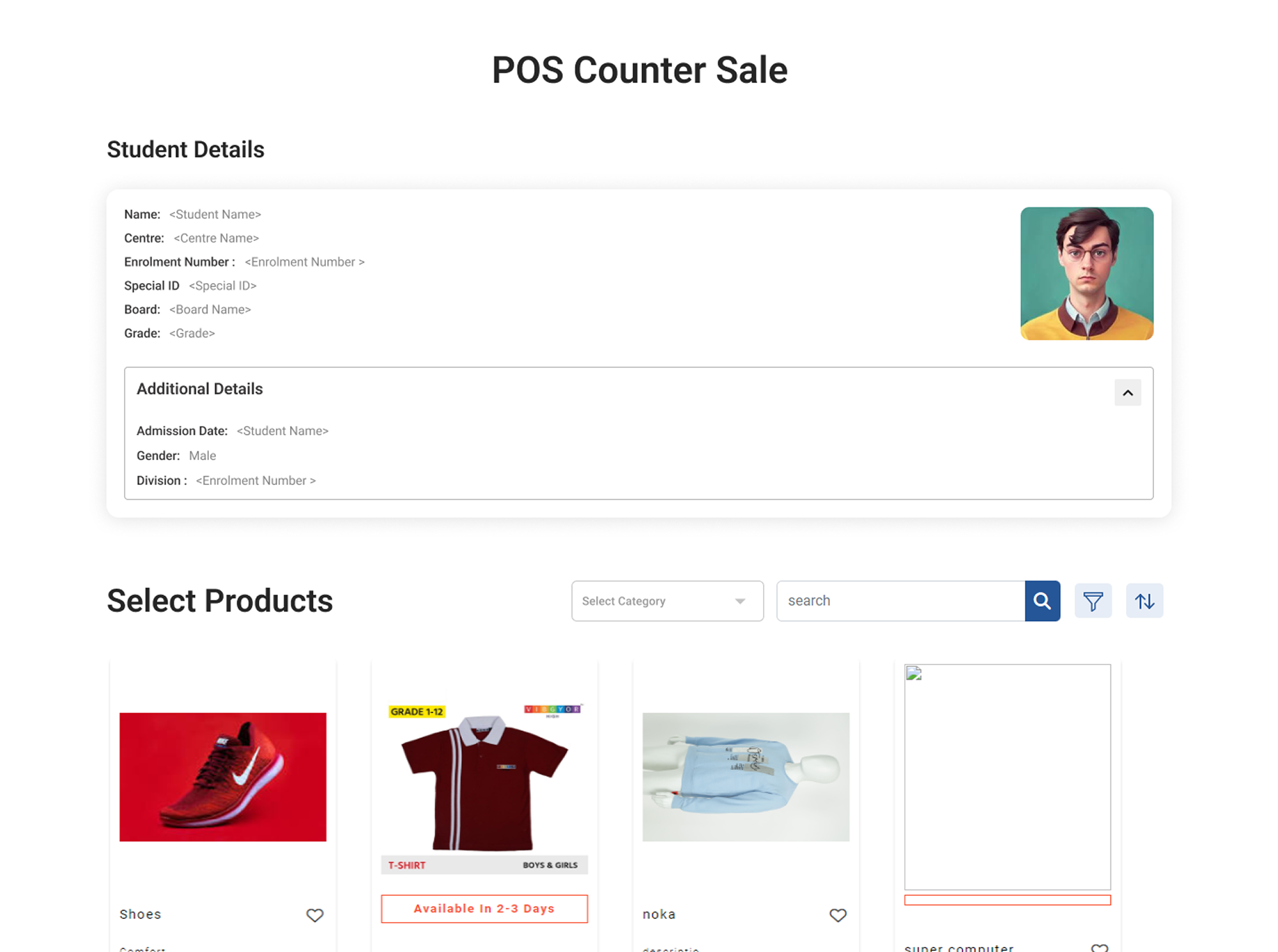
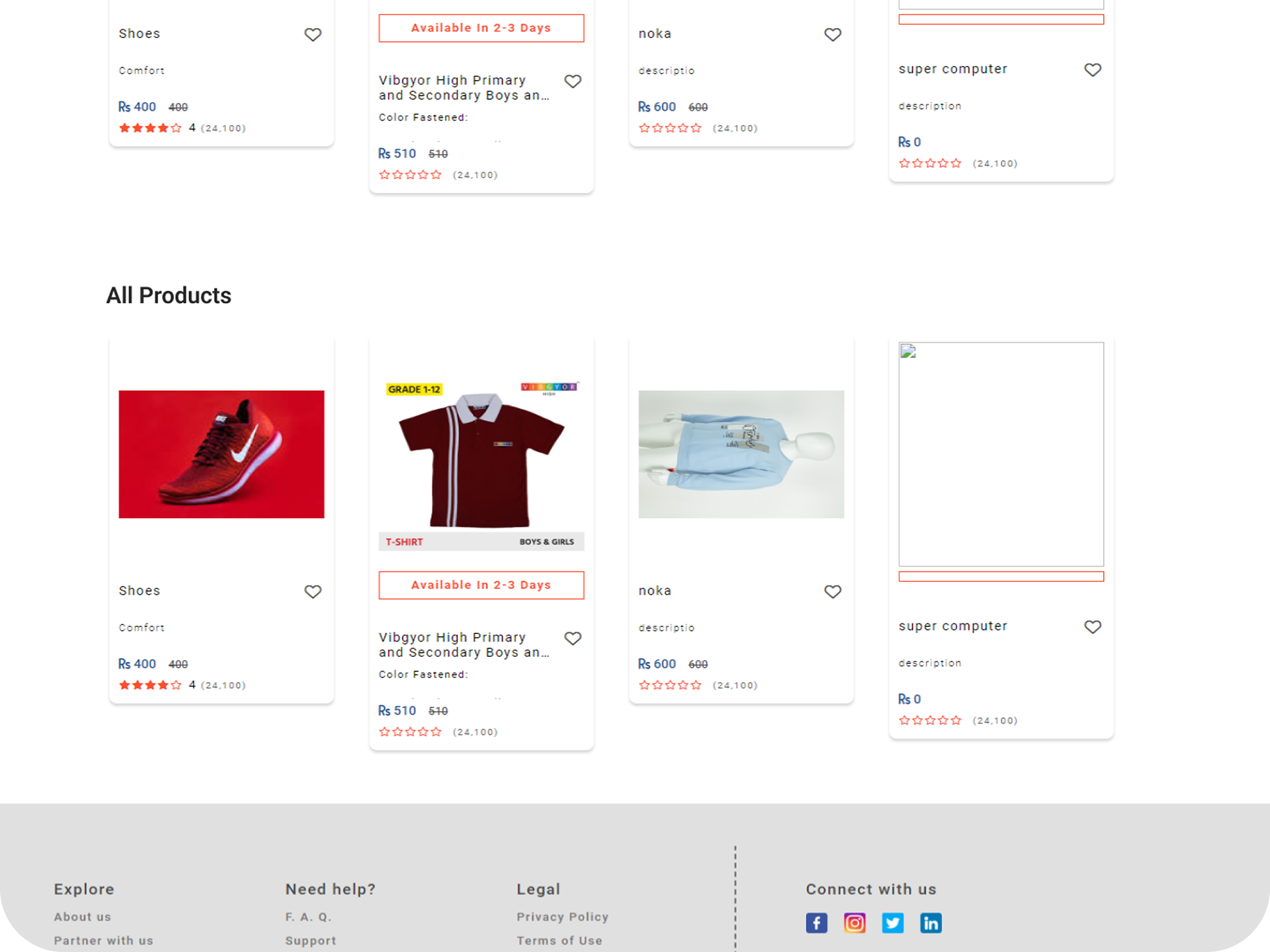
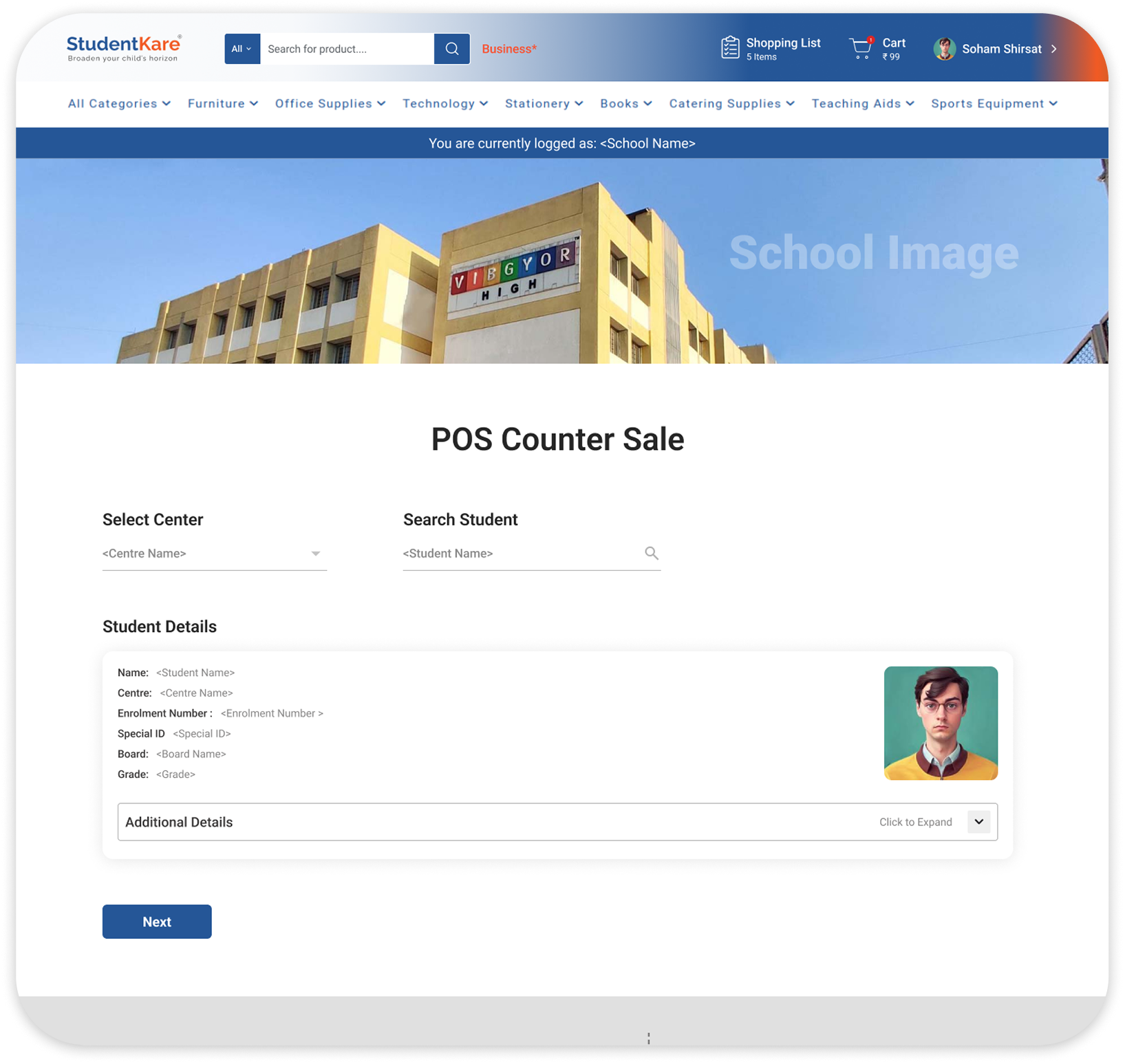
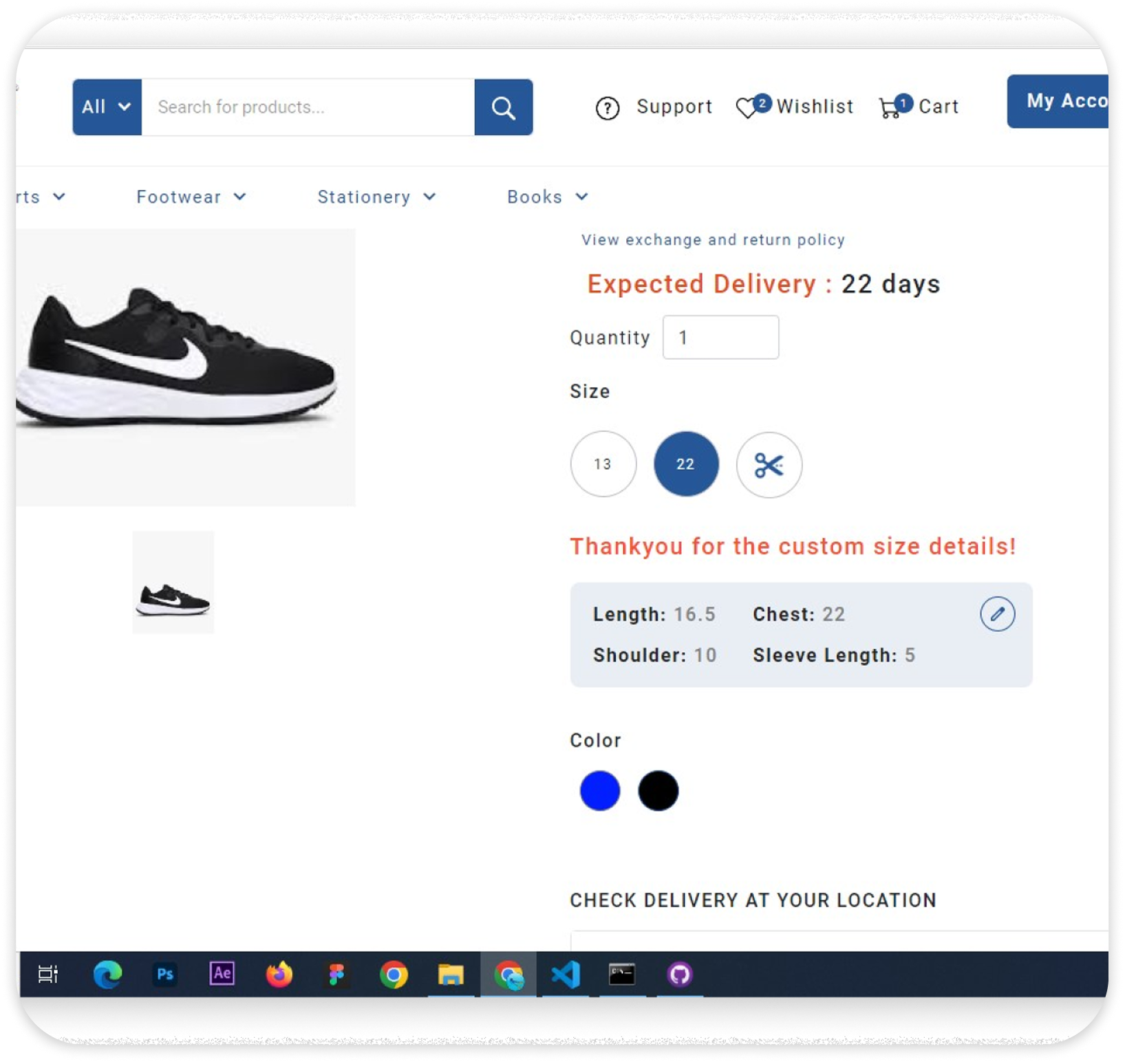
To complete a single student's order, an operator had to:
The redesign — built for execution, not browsing
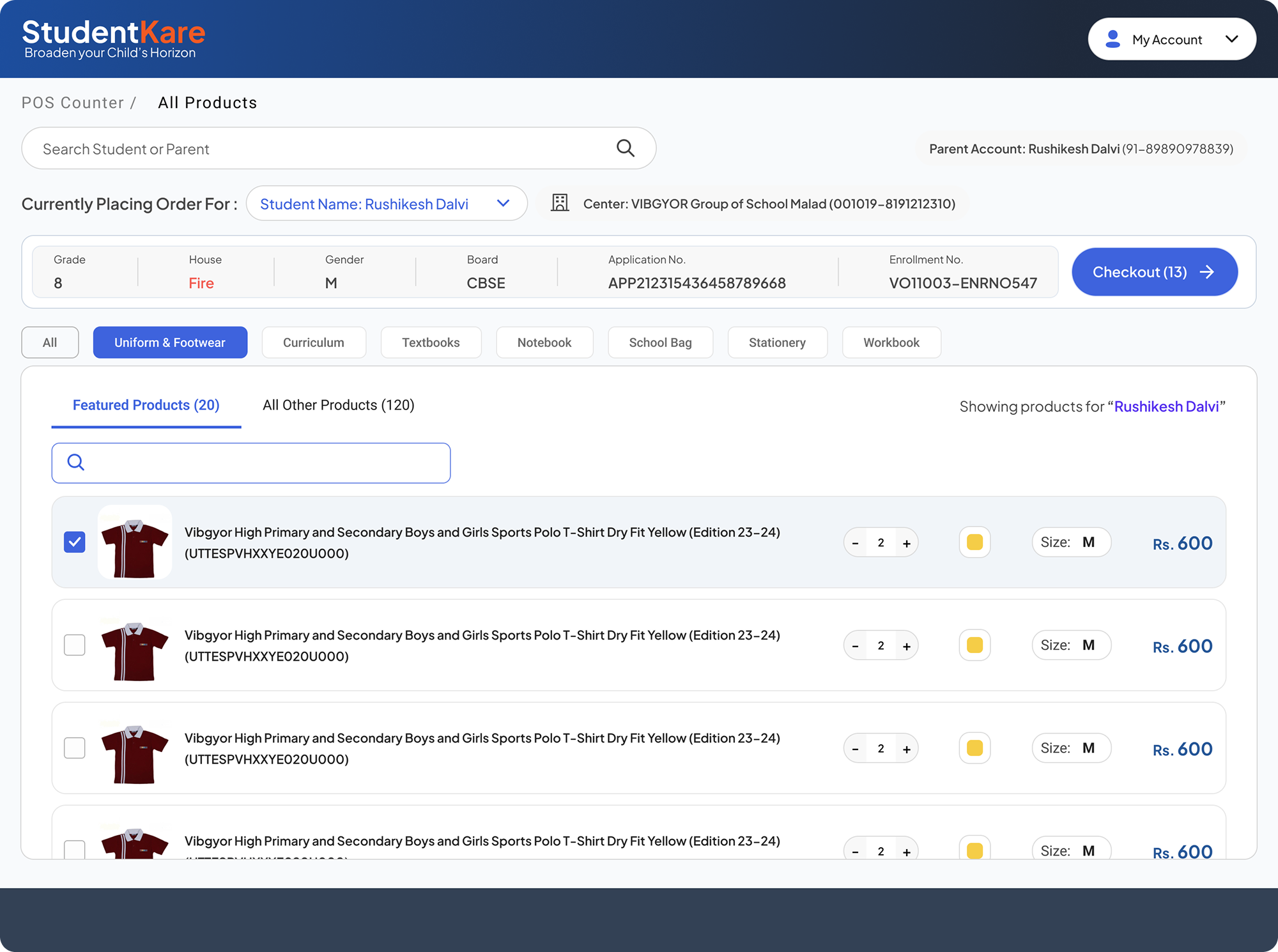
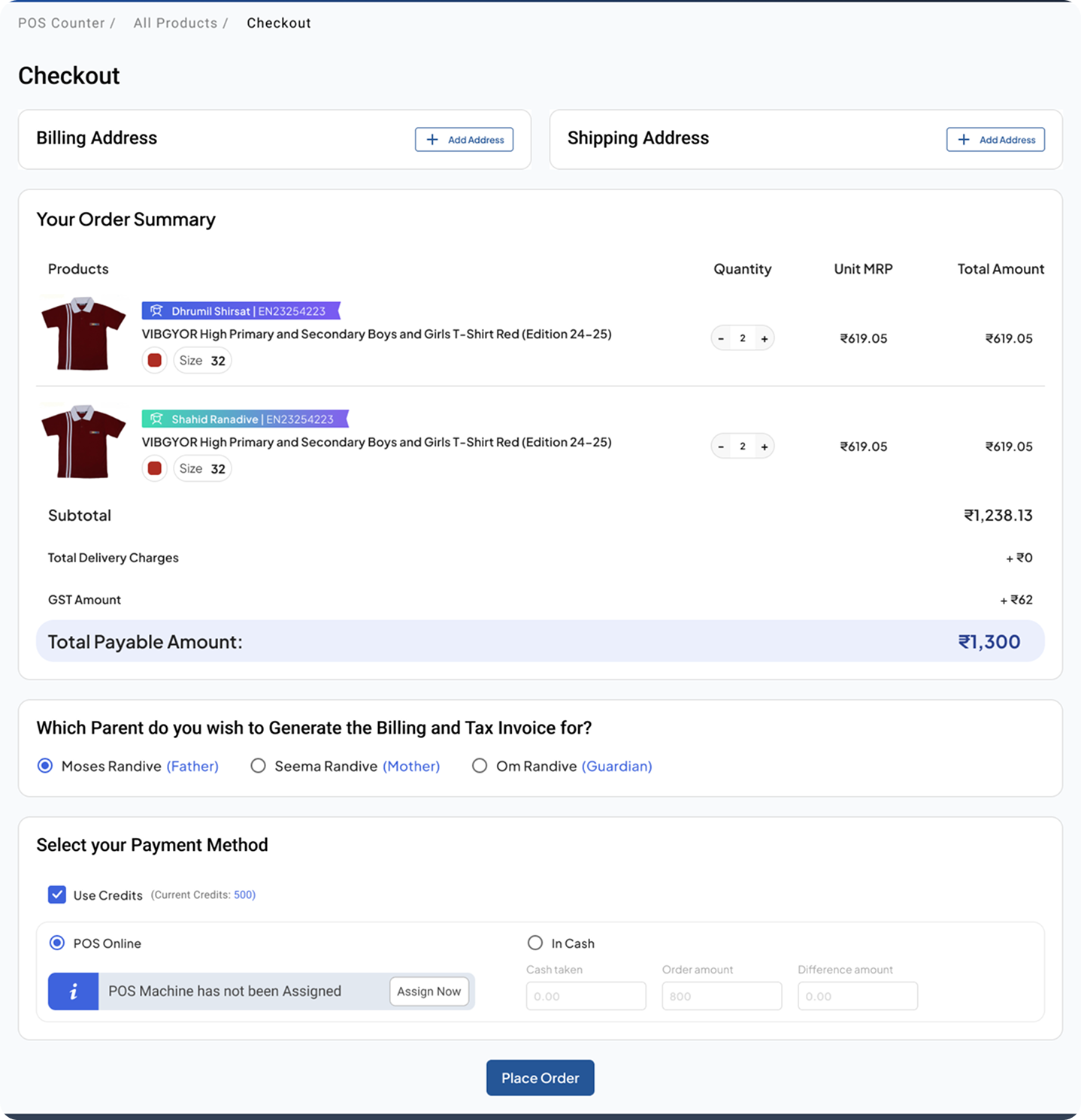
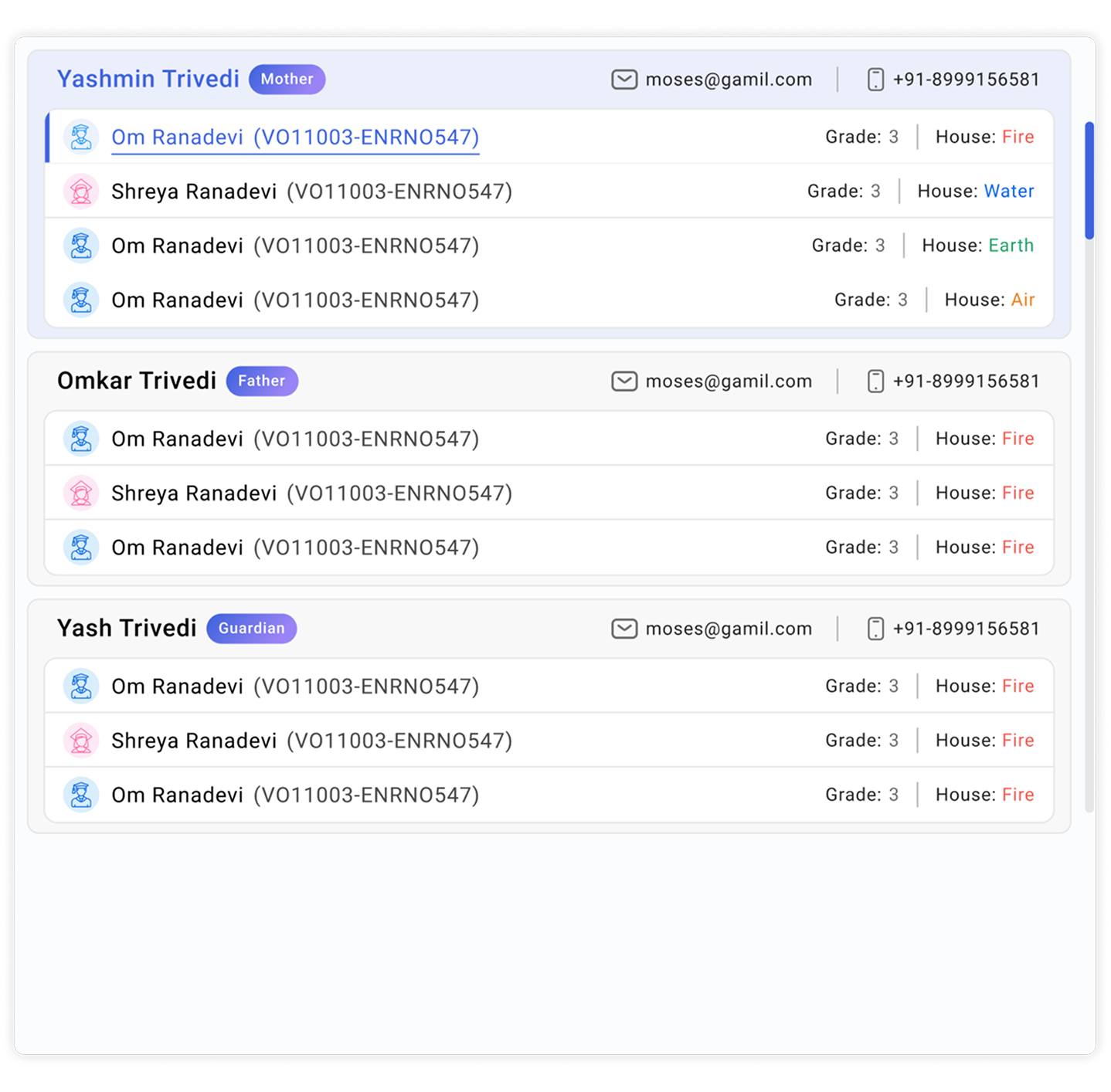
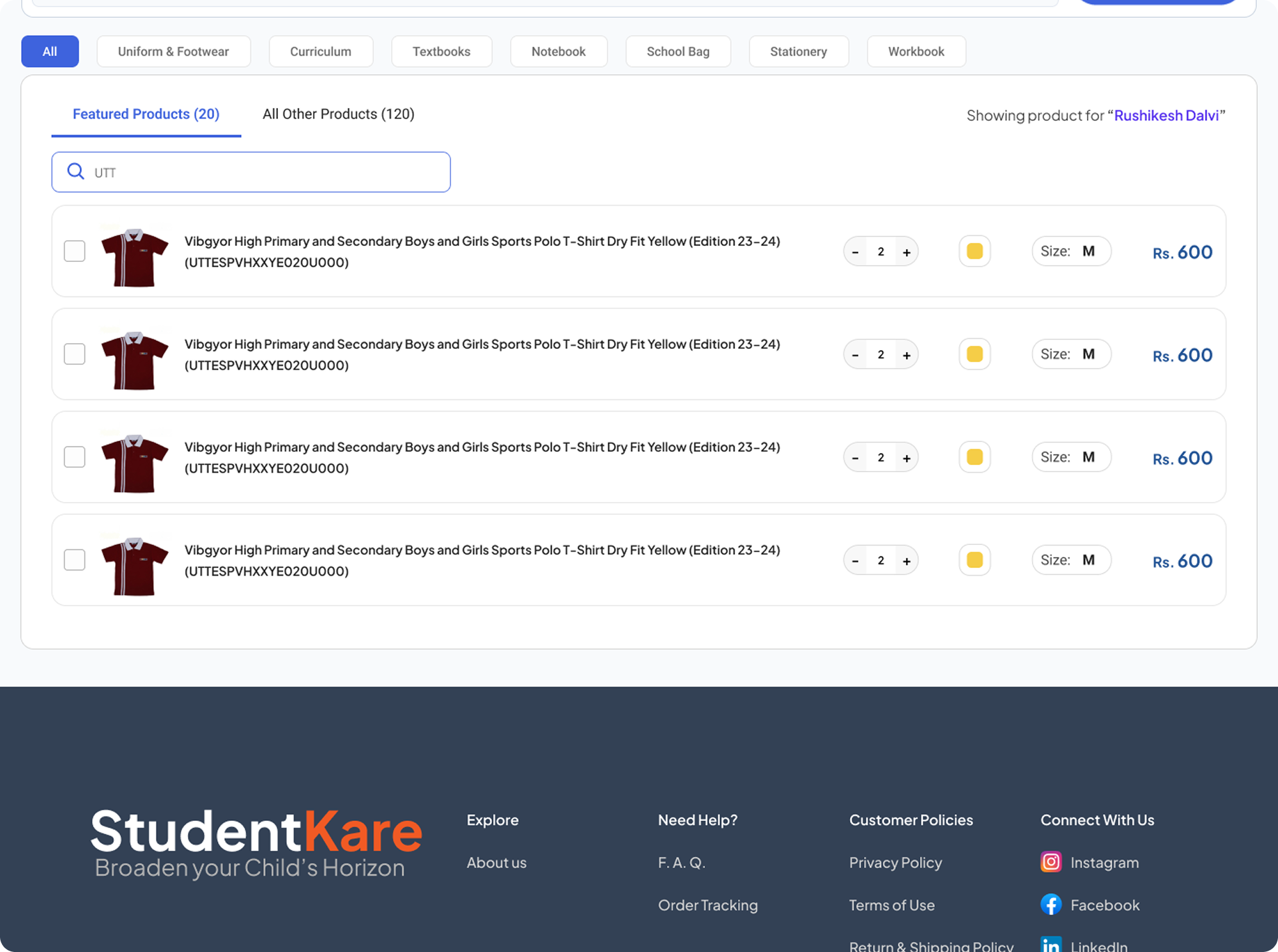
Student-first search — Enter enrollment number, student context loads instantly: grade, house, board, application number. No digging.
Mapped products surface automatically — The system shows only what this specific student should be buying. No browsing.
SKU-level list view — Variant already resolved. One row = one purchasable item. The PDP step is gone entirely.
Persistent checkout — Item count always visible and accessible. Operators never lose their place mid-order.
Optimised for speed — Product thumbnails replaced full PLP/PDP images. Faster loads, less visual noise — the effective workflow completion time dropped measurably.
- Full e-commerce navigation header
- Product grid with images & ratings
- Required PDP to select variant
- 3–5 minutes per student
- No SKU-level search
- Stripped header — just student context
- SKU-level list, inline quantity & size
- No PDP step — variant pre-resolved
- Under 1 minute per student
- Direct SKU search as primary input
- Thumbnails instead of full images for speed
The cash calculator — a small detail with real impact
During peak hours, many parents paid in cash. Operators were mentally calculating change while simultaneously managing a queue and processing items. It was slow and error-prone.
The fix was simple: when an operator selected "Cash" at checkout, a single input field appeared — how much did the parent give? — and the change due was calculated instantly.
This came directly from observation. I noticed operators reaching for their phones to calculate. The solution was a 15-minute design decision that removed a friction point felt hundreds of times a day.
Intervention 1b — Execution Layer
The handover system — resolving a leadership deadlock
The handover system — managing physical product distribution from warehouse to POS centers — was stalled for weeks because two senior stakeholders had conflicting visions.
One wanted a warehouse-centric model: stock quantities first, inventory management logic, treating handover as a supply chain function. The other wanted a mapping-first model: product-to-student relationships as the primary interface logic.
Both approaches, in isolation, would have collapsed under real-world complexity — partial handovers, returns, edge cases, and bulk processing all needed to work.
My resolution didn't come from splitting the difference. It came from the operators. The same people using the new POS system would use the handover system. They already had a mental model that worked.
By designing the handover system in the language of the POS — same interaction patterns, same structural logic — three things happened at once:
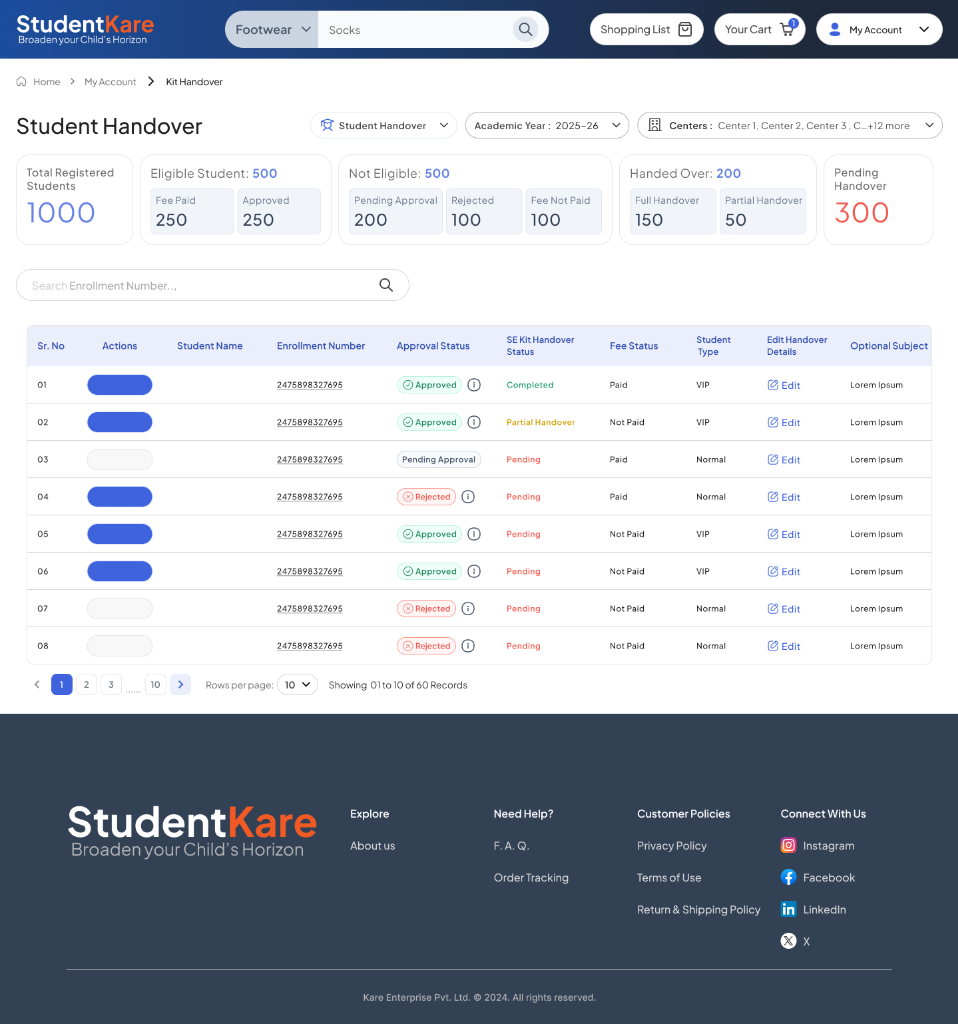
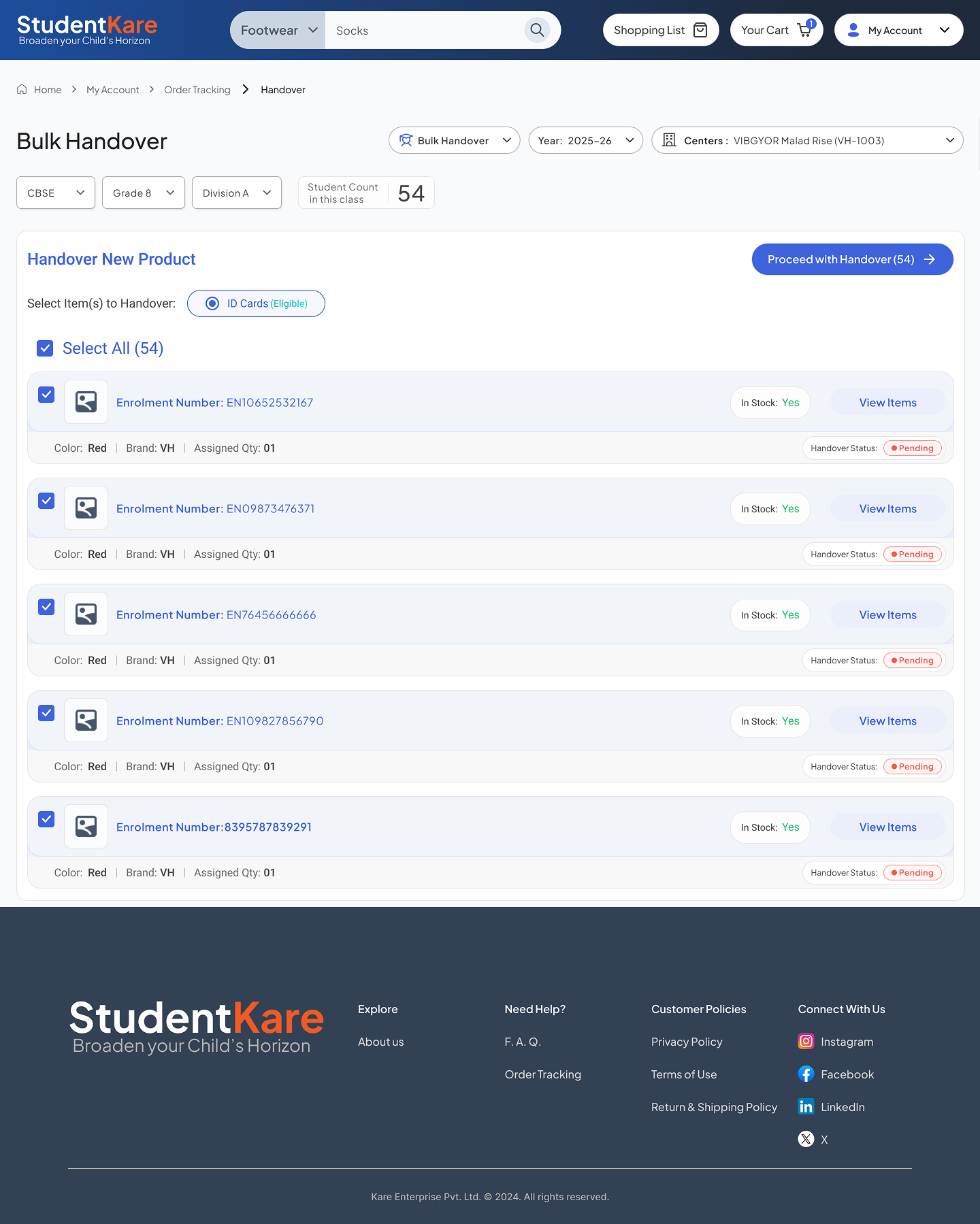
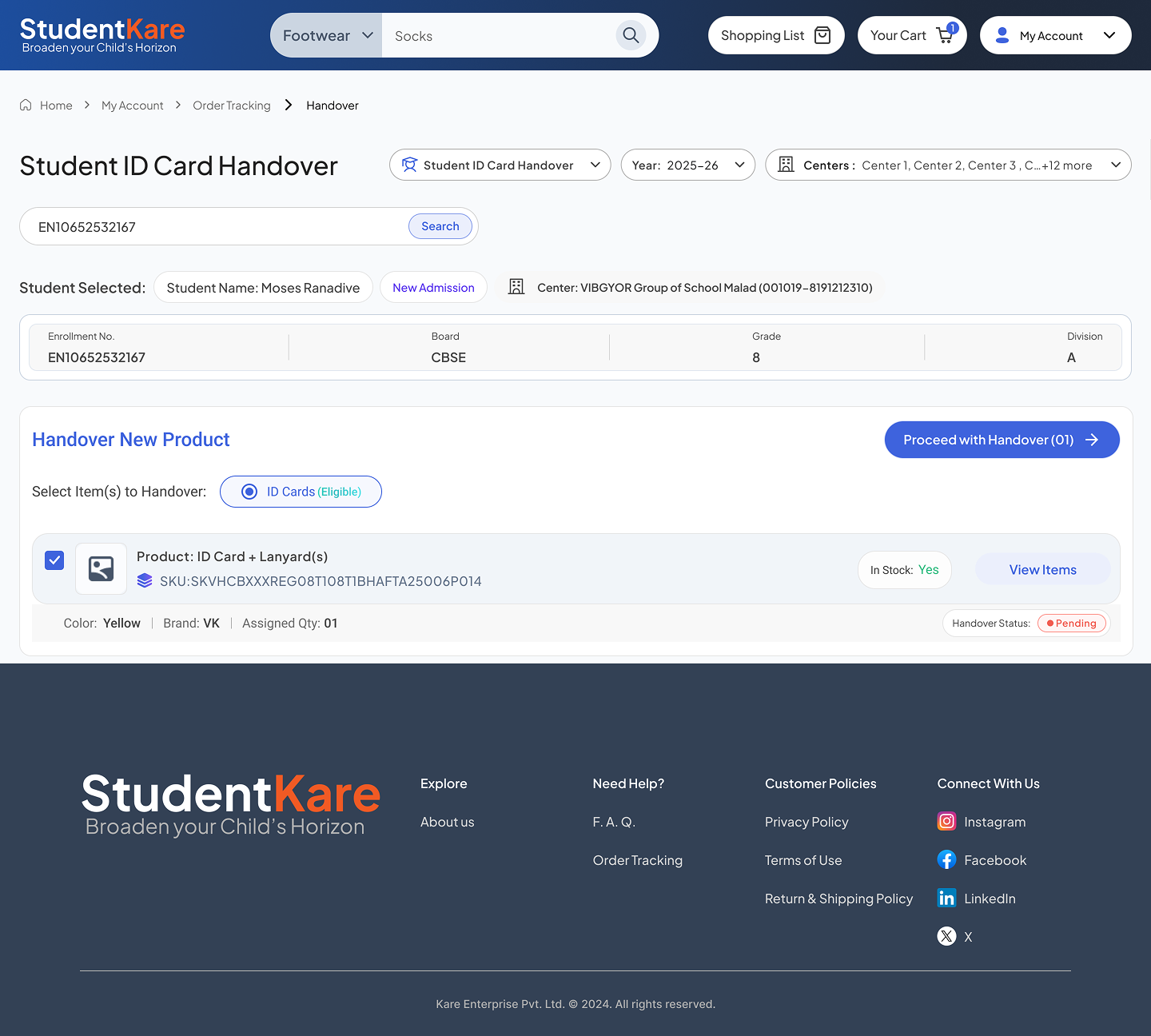
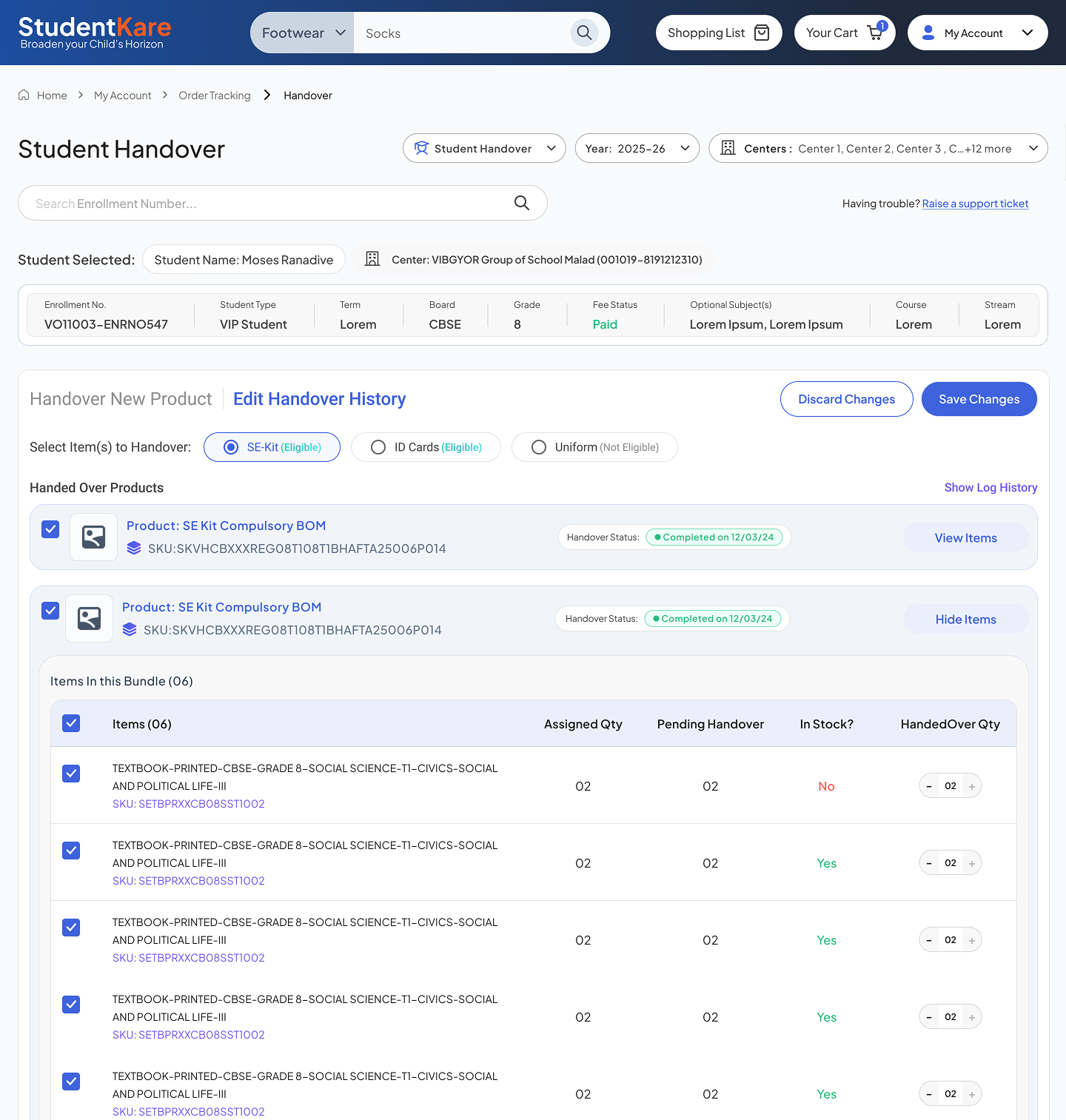
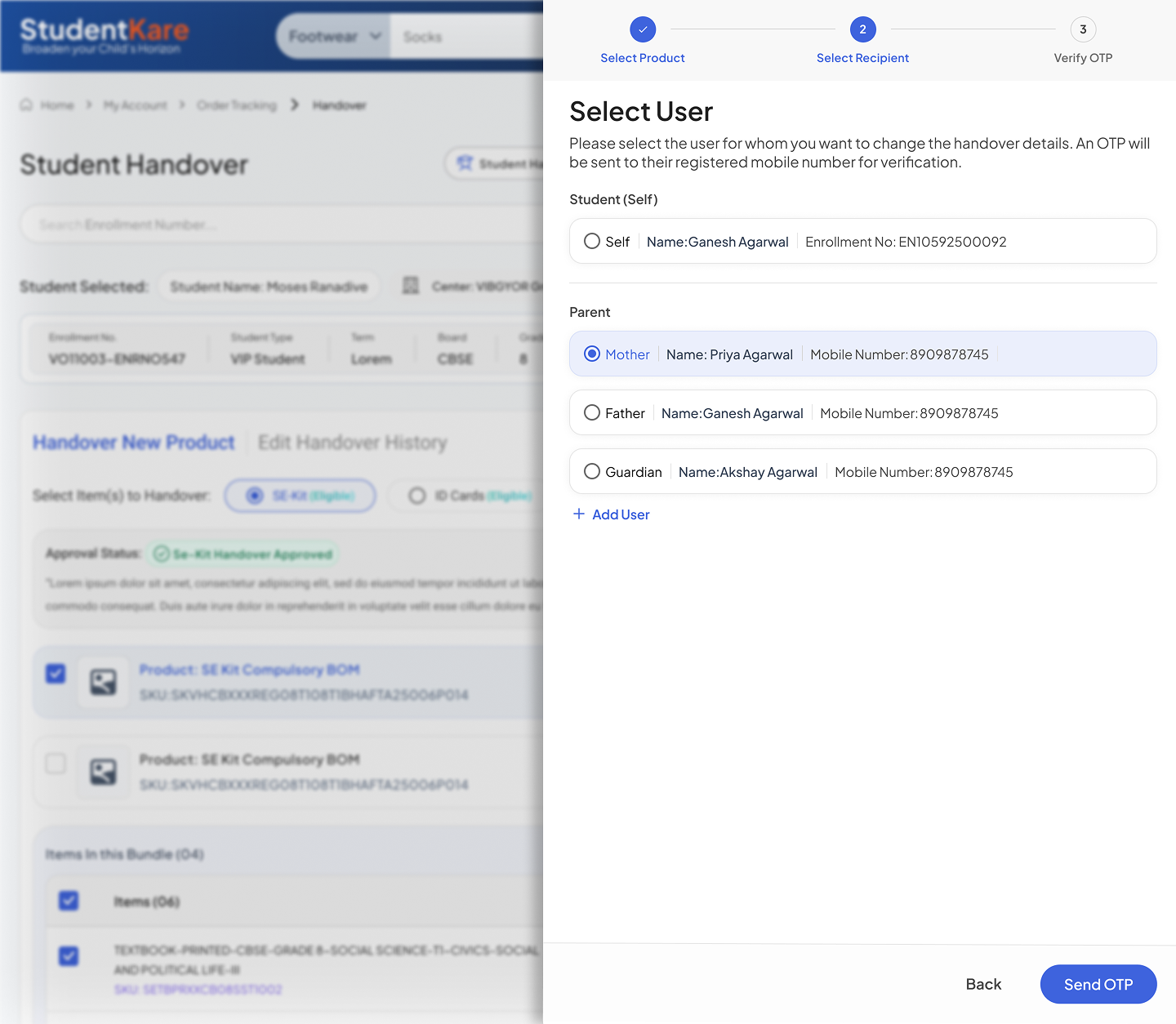
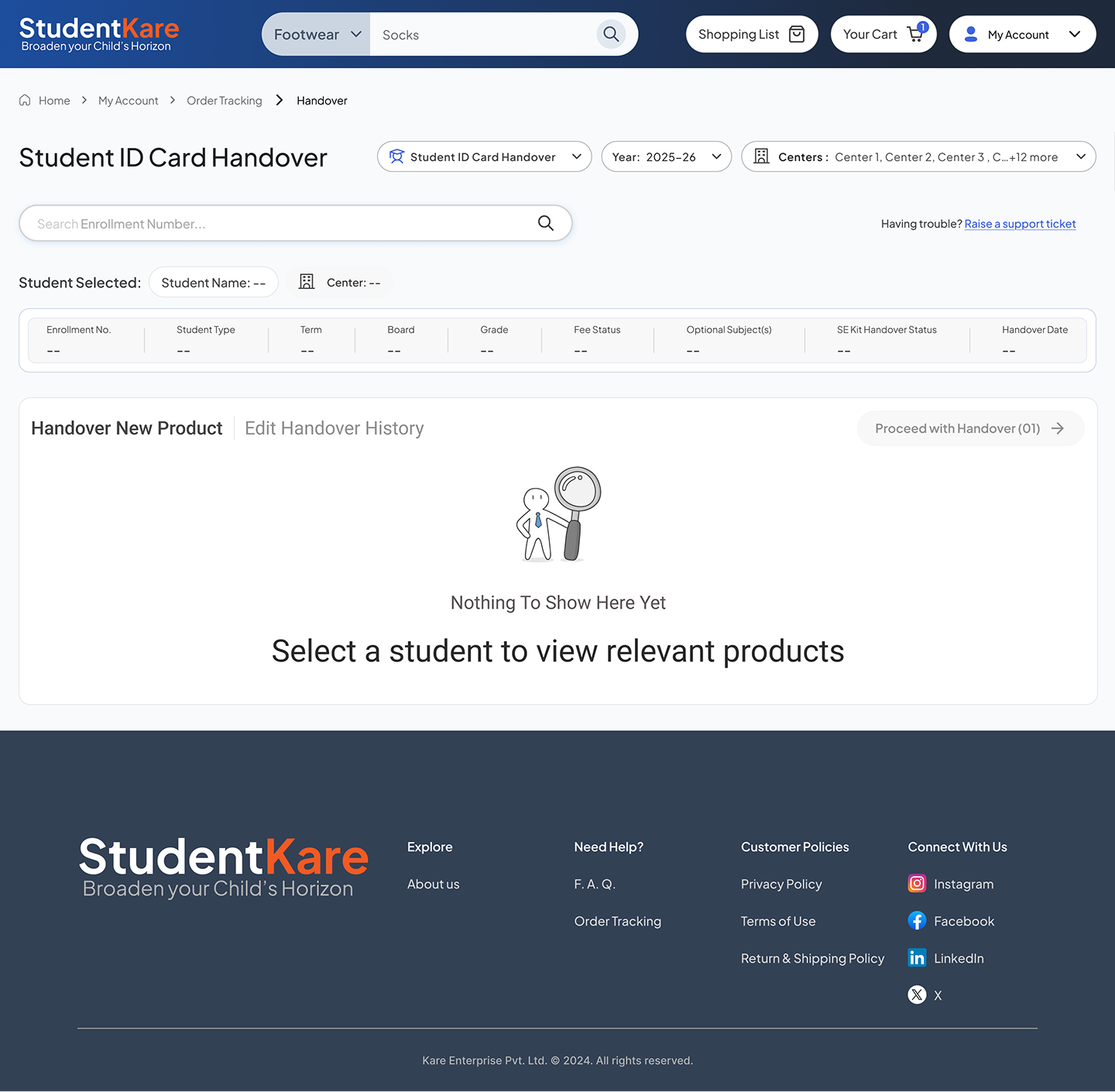
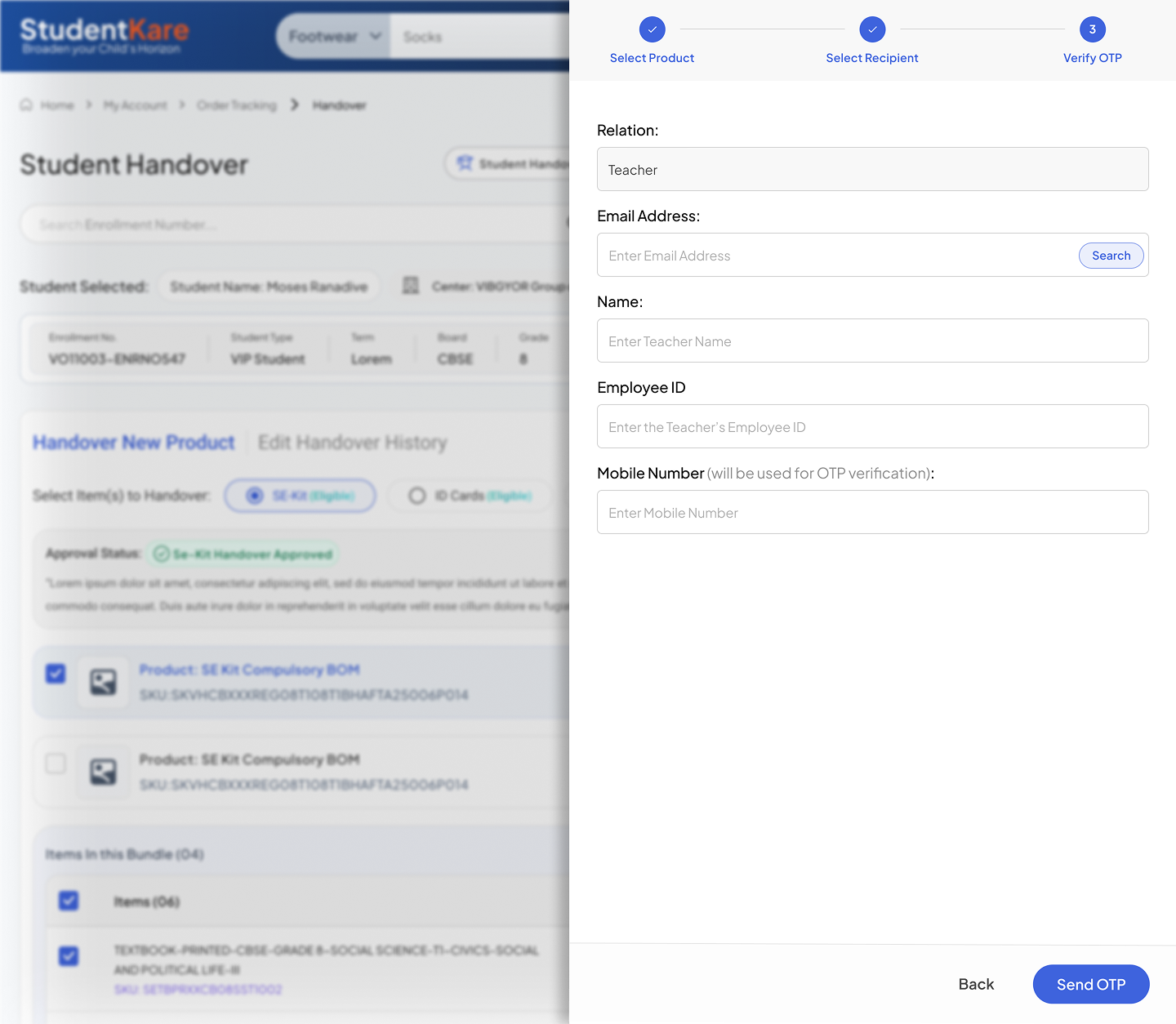
The leadership alignment came quickly once the proposal was framed around the users — not as a compromise between two competing preferences, but as a third, user-grounded answer neither side had considered.
Intervention 2 — Visibility Layer
Building the decision layer — dashboard & reporting
What "before" looked like
Before any structured reporting existed, data lived across an ERP system, manual Excel inputs, and verbal updates passed between teams. The consequences were serious.
"The data was simply manipulated." — CEO, in an internal leadership meeting
Errors had been hidden. Bottlenecks masked. When reports reached the Chairman and figures didn't tally, the fallout was severe. People lost their jobs. But the underlying problem — no reliable way to see what was actually happening — remained entirely unsolved.
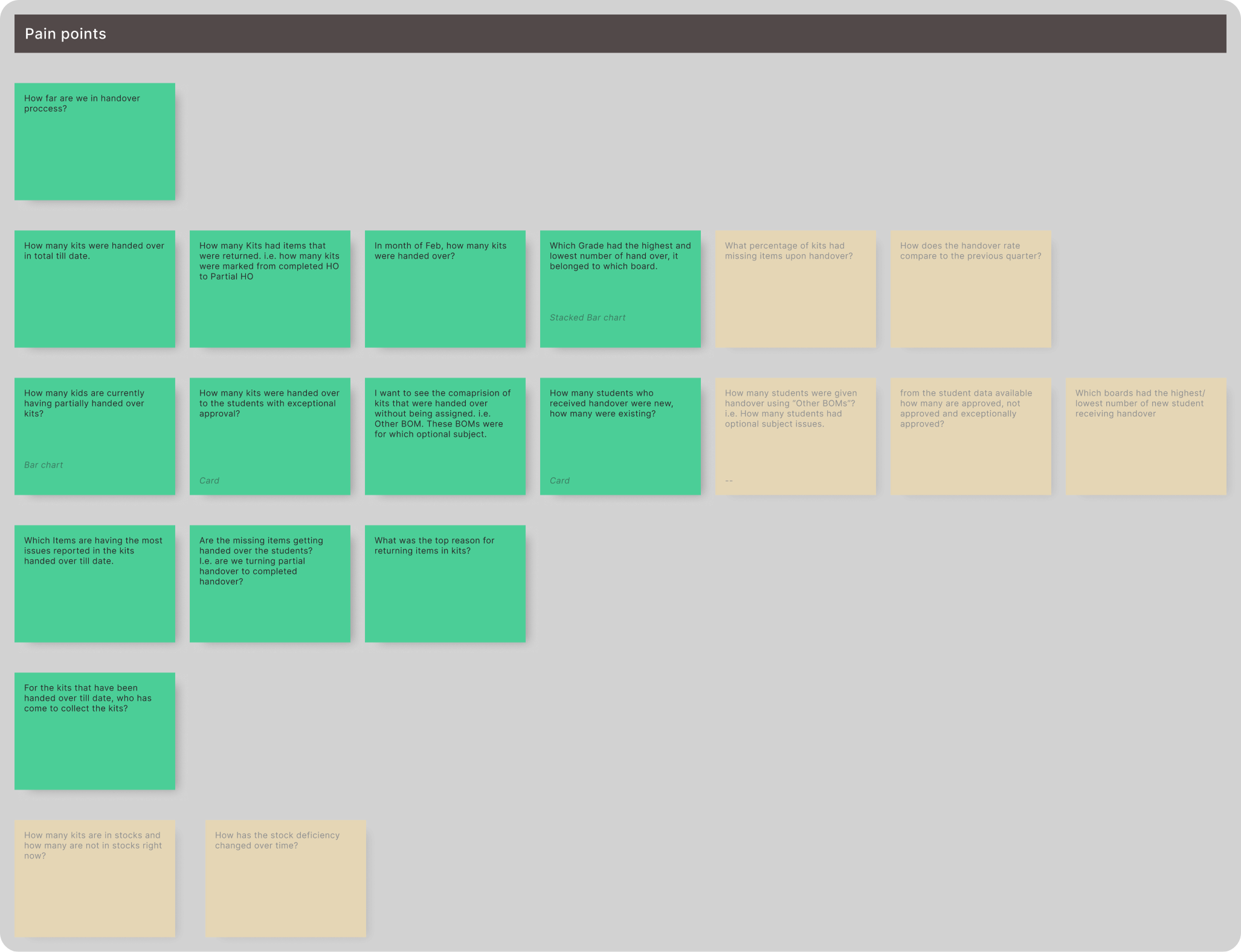
No one could answer basic questions: Which centers were underperforming? Where were orders getting stuck? Why were returns rising?
The design approach
I started with stakeholder interviews — not asking what data do you need, but what decisions are you trying to make? Those questions produce different answers. I then ran card sorting to structure the information hierarchy and validated feasibility with engineering before designing anything.
The result was three distinct views, each built around decisions rather than data:
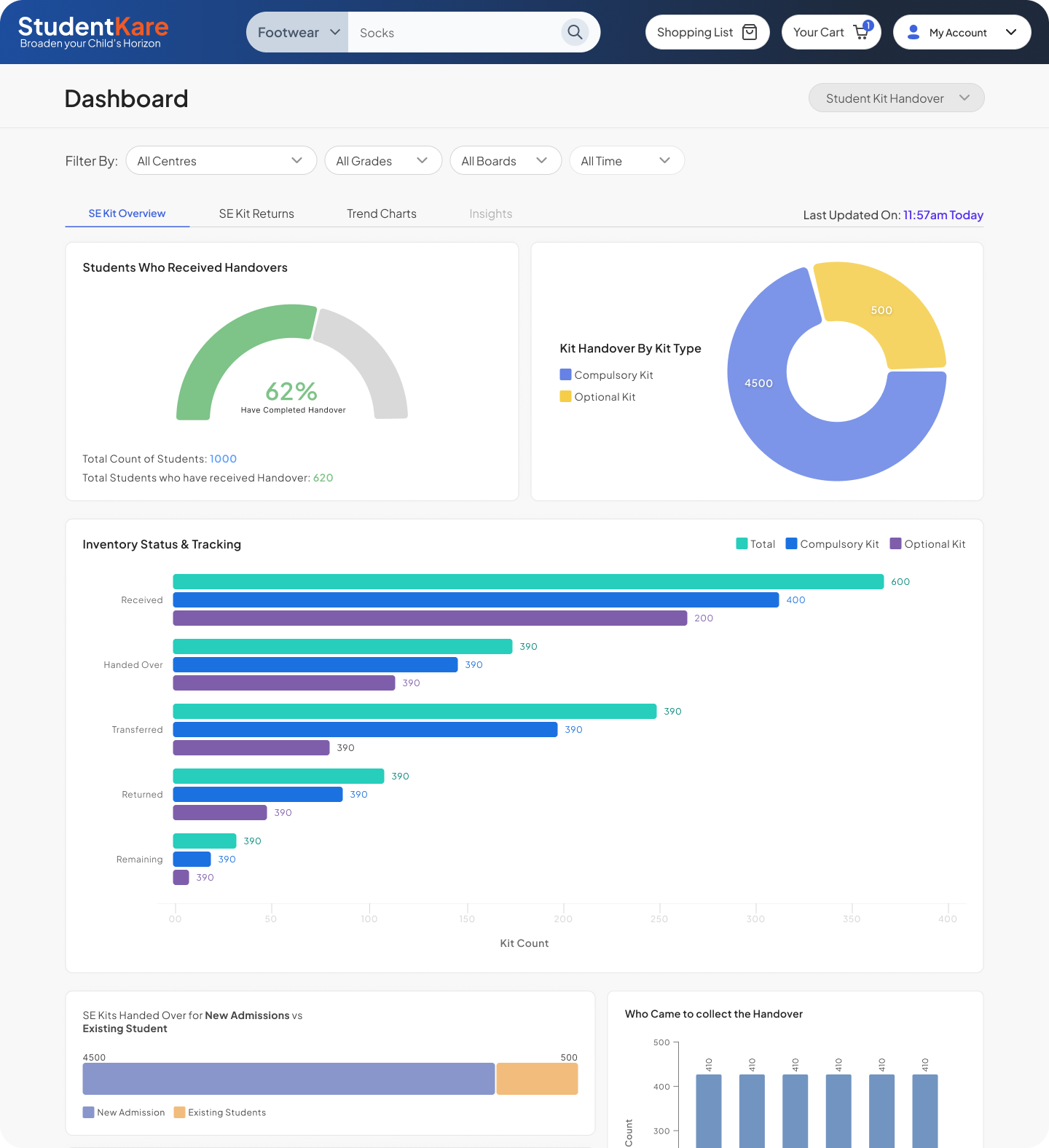
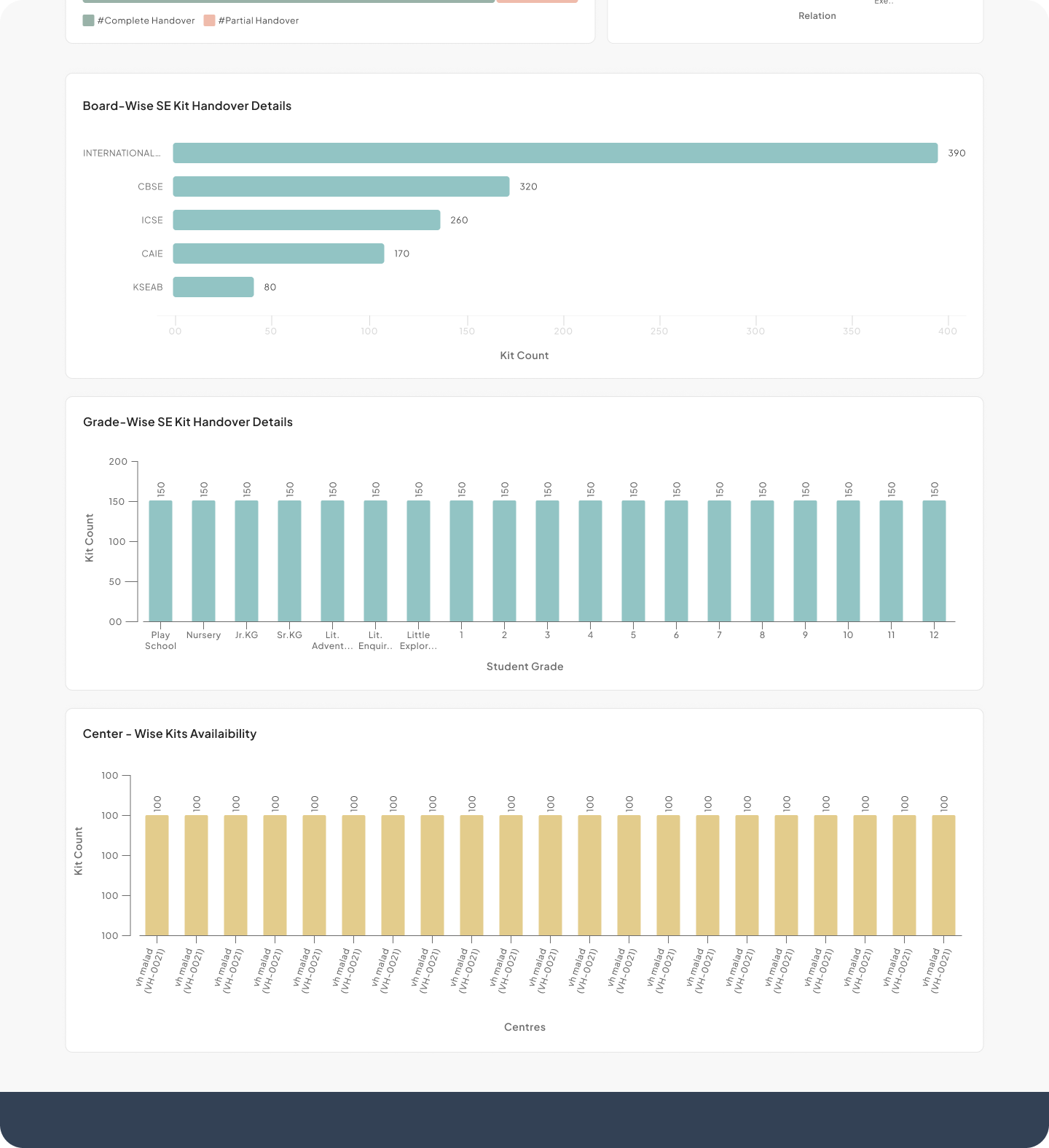
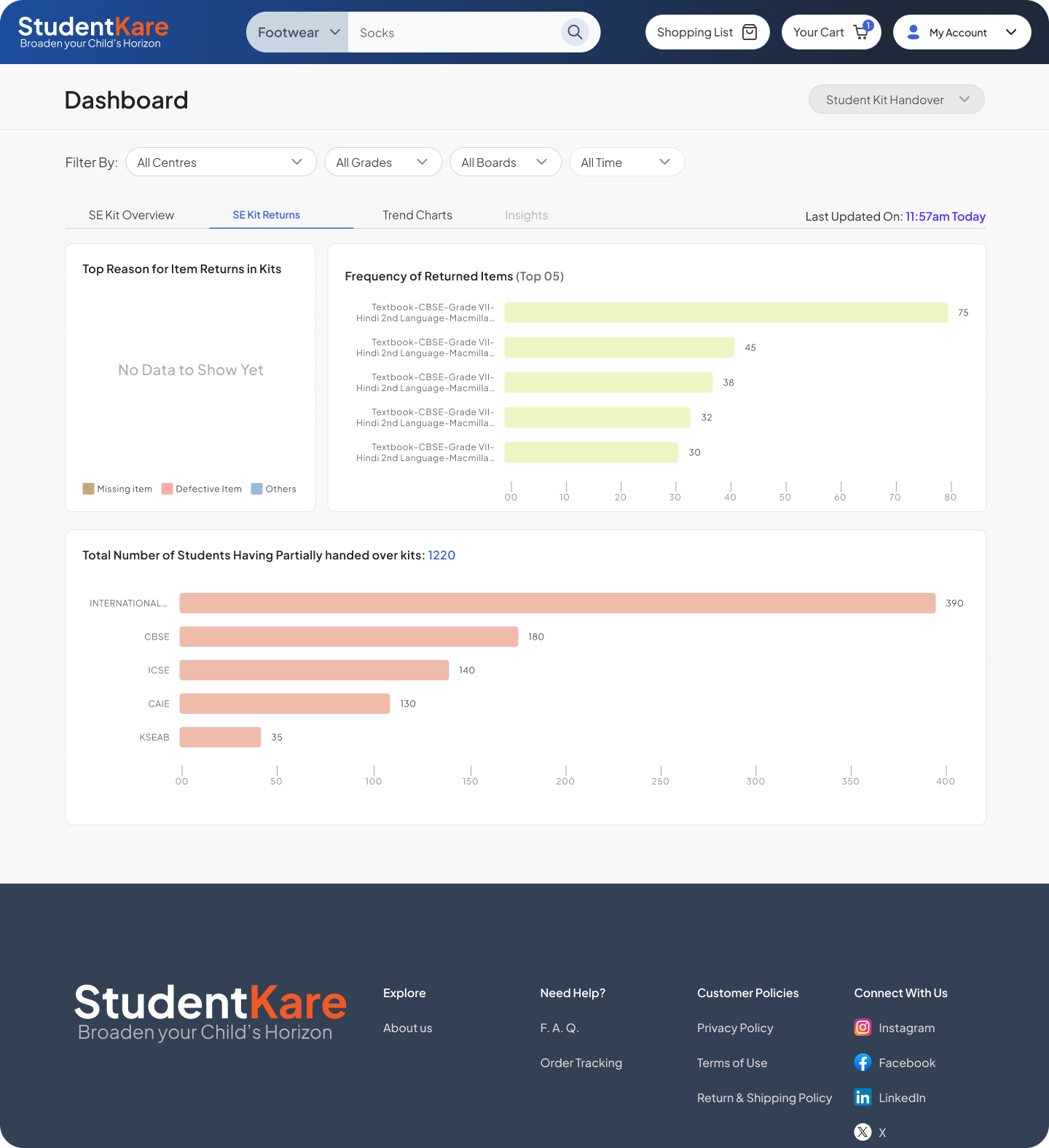
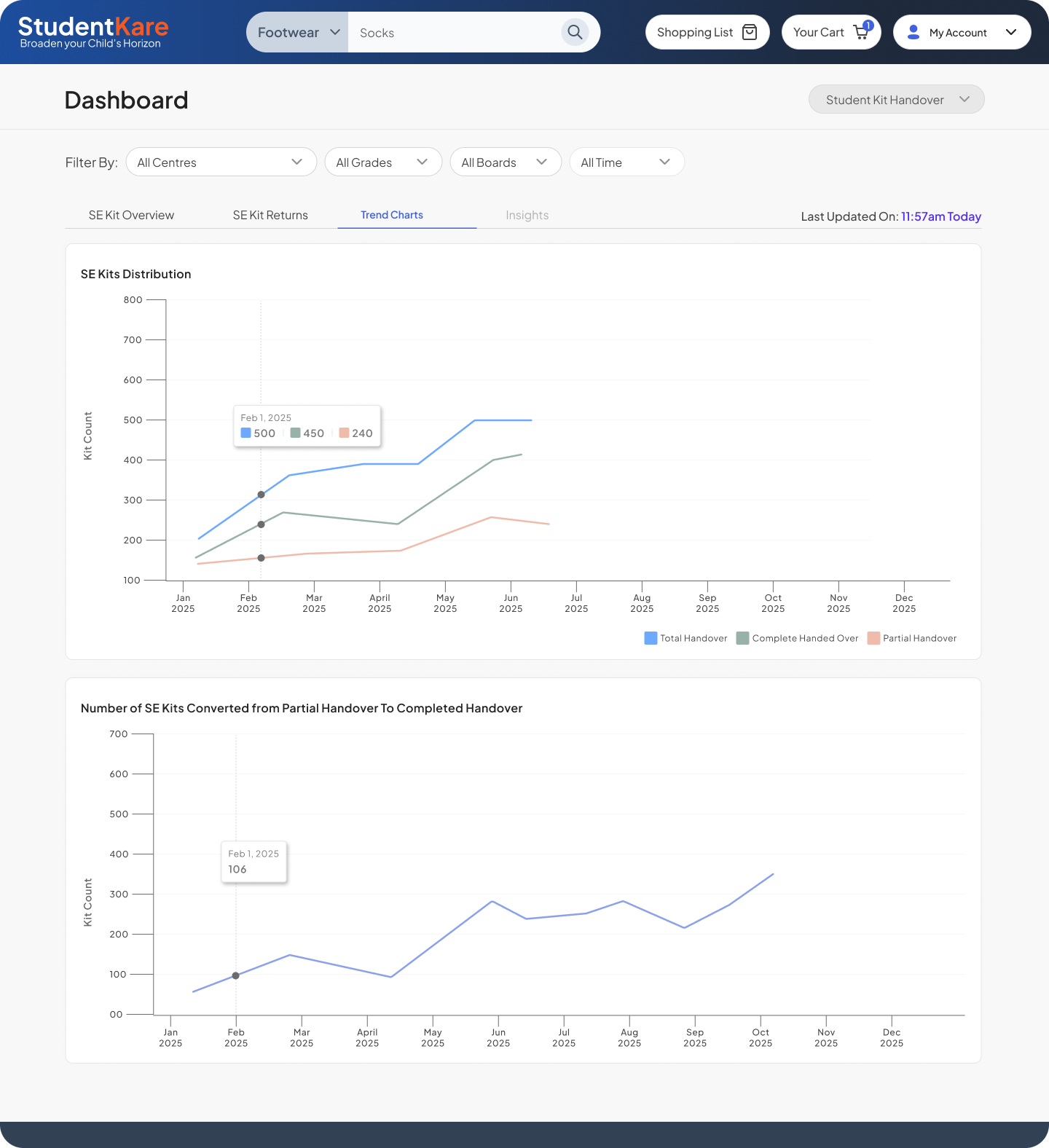
The moment the dashboard paid for itself
I designed a chart specifically tracking the top 10 most-returned products. When leadership saw it, one product category stood out with a disproportionately high return rate. Investigation traced it to a vendor quality issue. The vendor was replaced.
That chart didn't just display data — it caused a real operational decision. This is what visibility actually means: not dashboards for their own sake, but the ability to act on something you couldn't see before.
Intervention 3 — Trust Layer
Restoring customer trust through communication
Parent feedback came through three channels: direct conversations, a survey embedded in the ERP app, and SR ticket analysis. The pattern across all three was the same.
Parents weren't just frustrated by delays. They were frustrated by silence. An order placed in April with no updates, no visibility, no explanation — by October it felt like the company had simply forgotten them.
Some delays were unavoidable given supply chain constraints. The damage to trust was not.
- No order tracking or lifecycle visibility
- No proactive communication on delays
- Support tickets with no clear resolution path
- Parents had to chase for updates
- Clear order lifecycle status at every stage
- Proactive delay alerts before parents had to ask
- Simplified returns and ticket creation flow
- Feedback loop feeding back into ops reviews
Support ticket tone shifted noticeably. Parents went from "where is my order" to "I saw it's delayed — can you help me." That's not a small thing. It's the difference between a customer who feels abandoned and one who feels informed.
A design judgment worth noting
"Make it like Amazon" — and why that was the wrong brief
Early in the project, the dominant direction from senior stakeholders was a familiar one: make it like Amazon.
It's a common brief. In this case, it was the wrong one.
Amazon works because of unlimited vendor depth, flexible SKU options, a logistics network built over two decades, and no restrictions on who can buy what. StudentKare had none of those conditions. Students were mapped to specific products via enrollment numbers. A parent with three children had three separate mappings. Products weren't interchangeable — a Grade 5 CBSE student had a categorically different product set from a Grade 8 ICSE student.
Copying Amazon's interface in this context would have shown products students couldn't actually buy, broken the mapping logic the entire system depended on, and created a false sense of choice that operations couldn't fulfill.
My pushback wasn't "Amazon is bad." It was: here's what Amazon assumes that we structurally cannot assume — and here's what we need to design for instead. Framing the conflict as a structural mismatch, not a style preference, made the case clearly and quickly.
Impact
Results across the system
down from 3–5 minutes
breaching TAT
satisfaction scores
onboarding time
return-rate dashboard
(ops, finance, leadership)
Key learnings
Closing
This project required designing four interconnected systems simultaneously while navigating ambiguous data, conflicting stakeholder directions, and real operational pressure. What I'm most proud of isn't any single screen.
It's the thread of logic that connects them — understanding the system well enough to know which problems, if solved, would unlock progress on everything else. The POS redesign reduced operator time, which reduced queue pressure, which reduced customer wait. The dashboard surfaced data, which enabled decisions, which reduced returns. The communication layer reduced ticket volume, which let support focus on real problems.
Systems thinking isn't a design methodology. It's what separates fixing symptoms from fixing the thing that causes them.